This is a combined changelog, as the recent updates were closely related hotfixes. Beta 2.1.0 - Beta 2.1.10
¶ B 2.1.0
¶ S4MM Patreon
After long consideration, I’ve finally created a Patreon for the project and myself. I have one core rule that I will never break: I will not put any essential features behind a paywall. Read more about why it took so long and thoughts about it here.
¶ New features
-
Save Game Tool Improved + New Save Game Categories
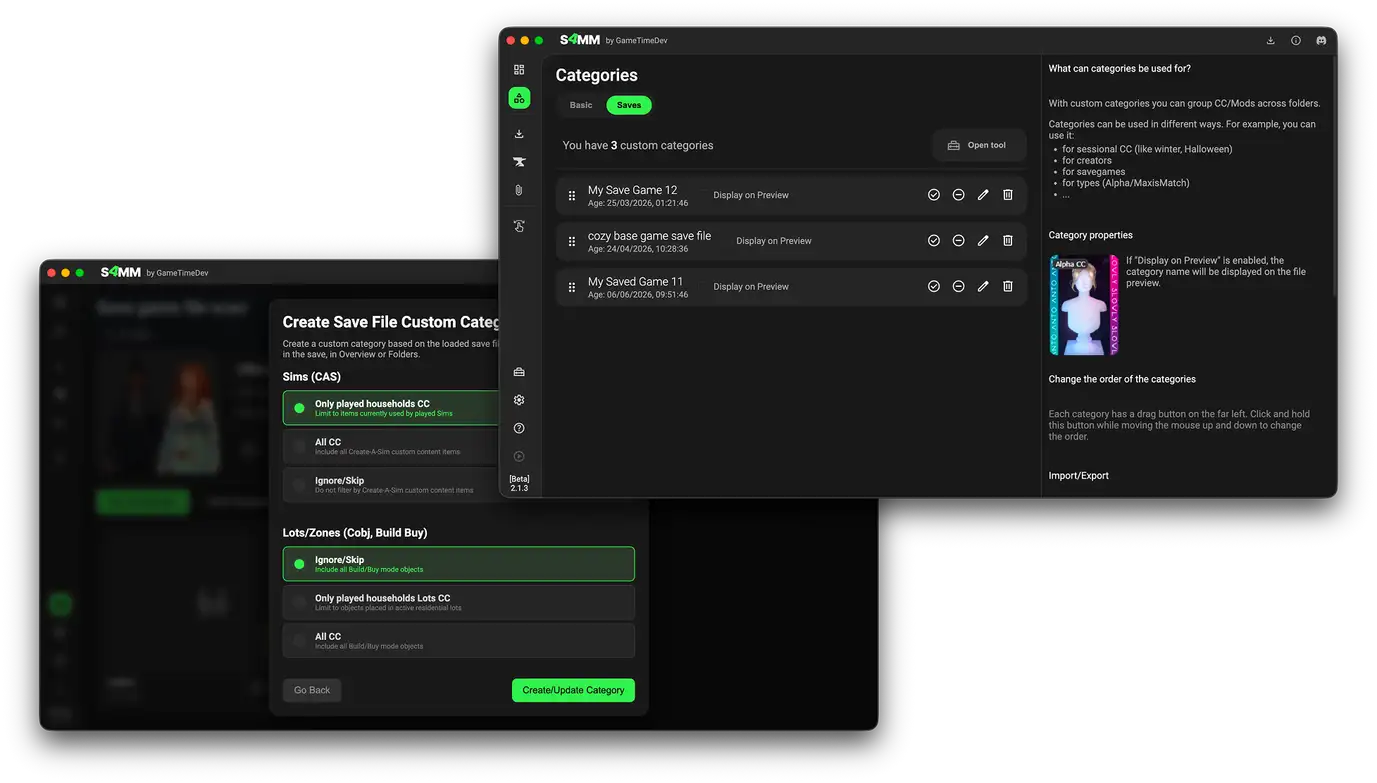
The Save Game Tool's save file reading process has been drastically improved and should be much more reliable now. To make it even more useful, you can now create Save Game Categories (currently for CAS and Build Mode CC only).
Open a save file with the tool and click "Custom Categories" to create or update a save game category.
You can then use the category inside the standard filter area. -
Downloads tab
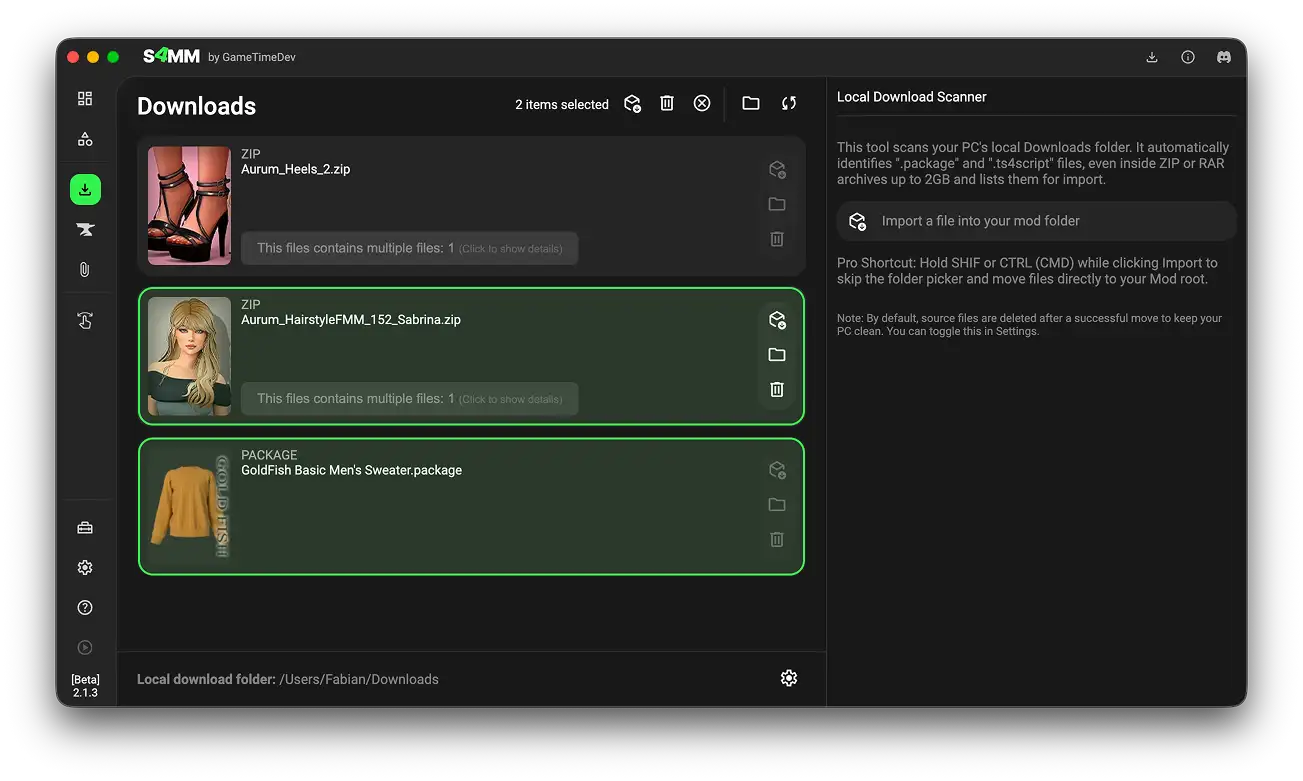
There is a new tab in the left navigation bar! In the Downloads tab, you can connect your computer's Downloads folder. The Mod Manager will scan it for The Sims 4 mod files so you can import them directly without needing to move files manually. -
Experimental Paralives tool
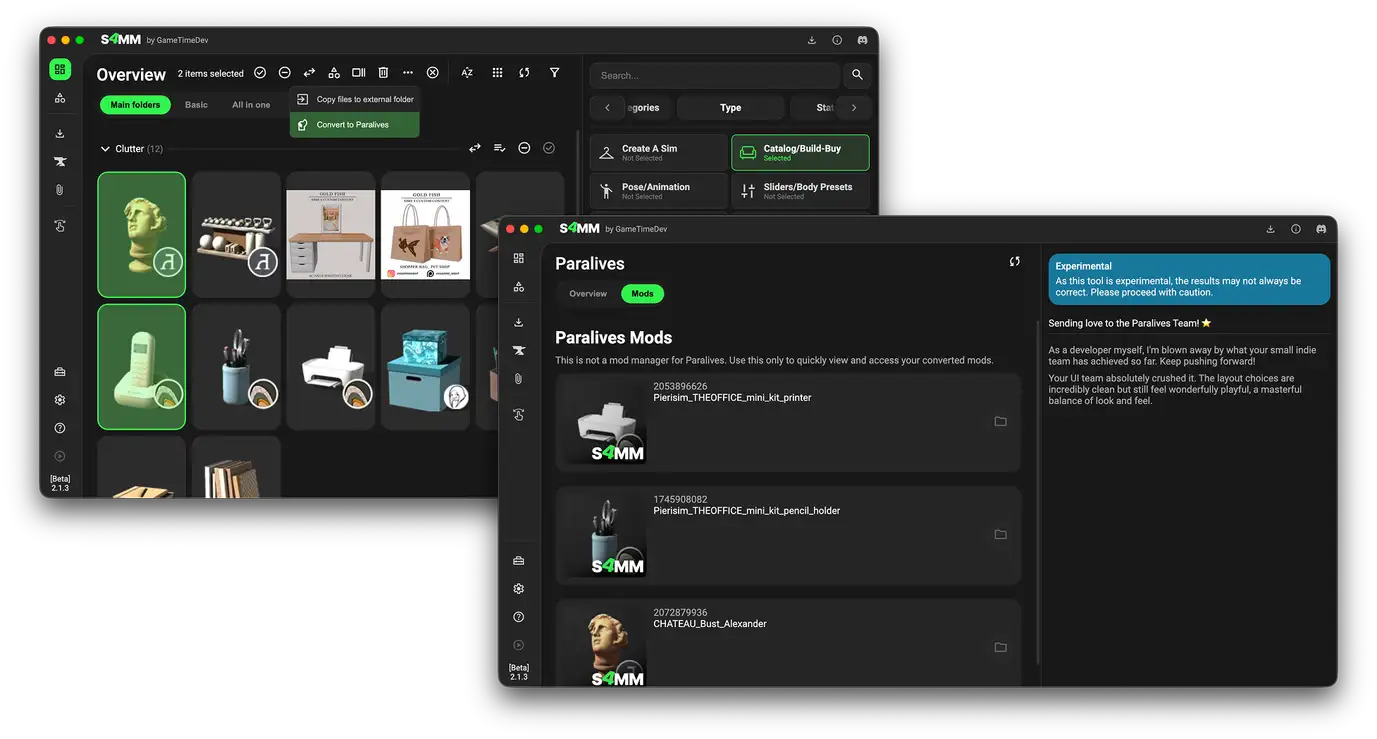
Like many fellow Simmers, I bought Paralives shortly after its Early Access release. I ended up being even more fascinated by the modding tools than the game itself, so I built this small experimental tool over two weekends. It allows you to convert furniture CC into Paralives mods. Please note that there are several limitations, so consider it a fun extra tool for now! -
CurseForge Creators search page
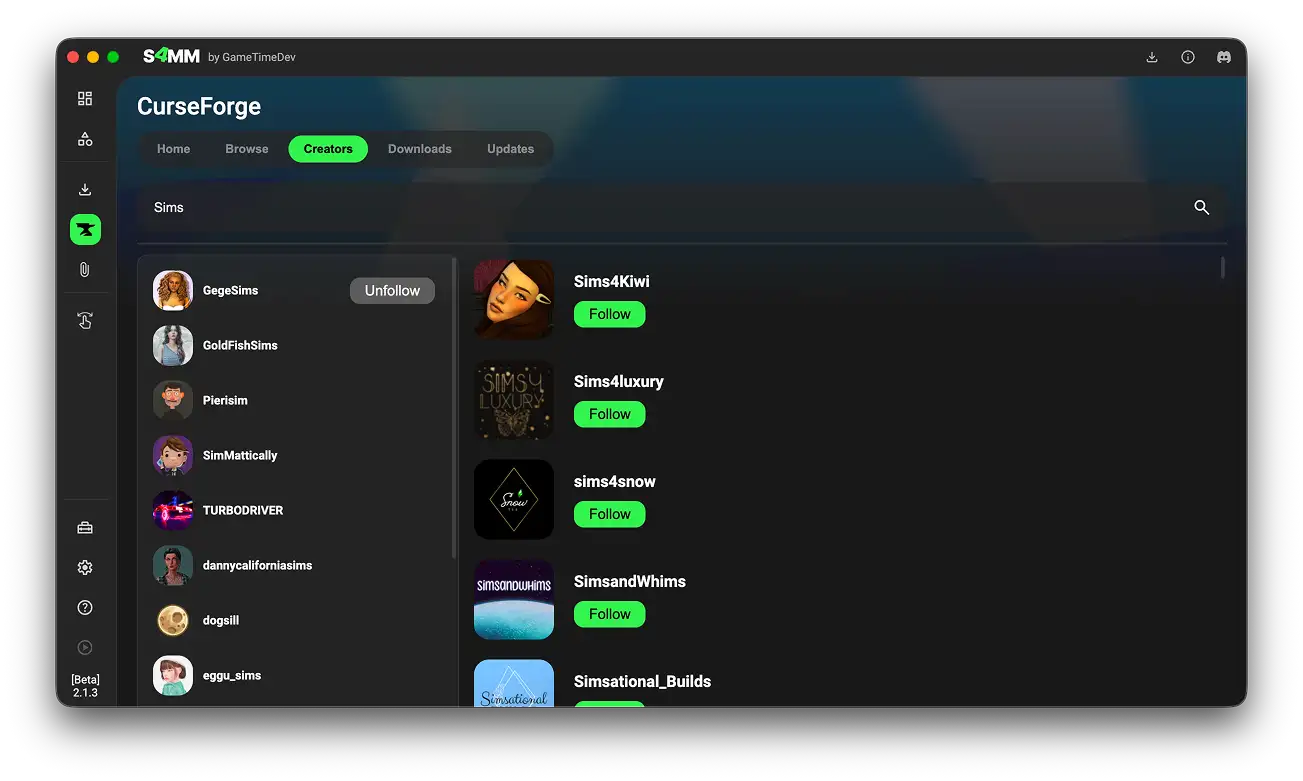
There is now a new sub-tab under CurseForge where you can manage your followed creators and search for new ones. (Please note: this list might not always be instantly up to date.) -
Big quick preview
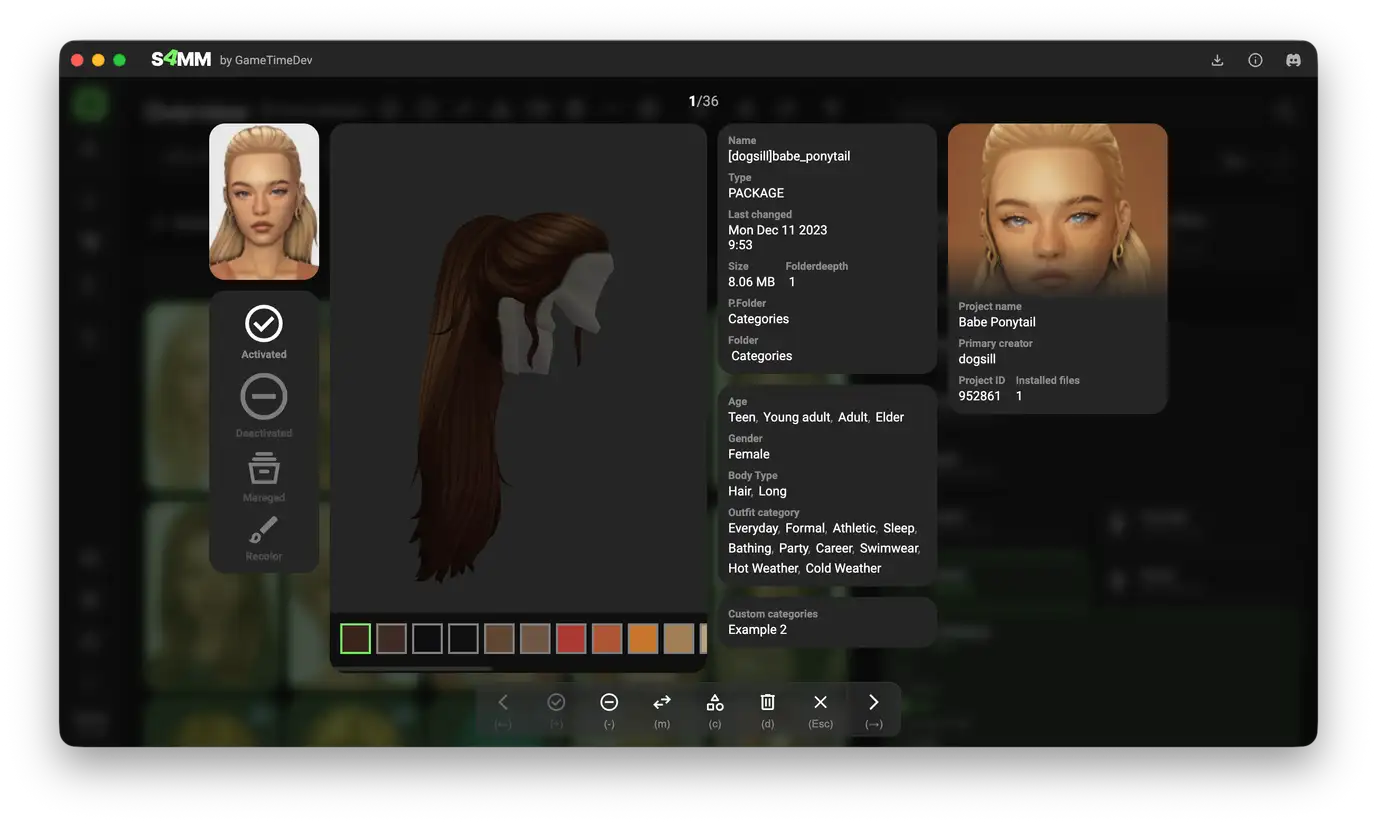
You can now select one or more items and open an expanded preview mode by clicking "Quick preview" or pressing P on your keyboard.
In this view, use the arrow keys to navigate between items and keyboard shortcuts to take quick actions (e.g., D to Delete, M to Move).
- New Category Filter options
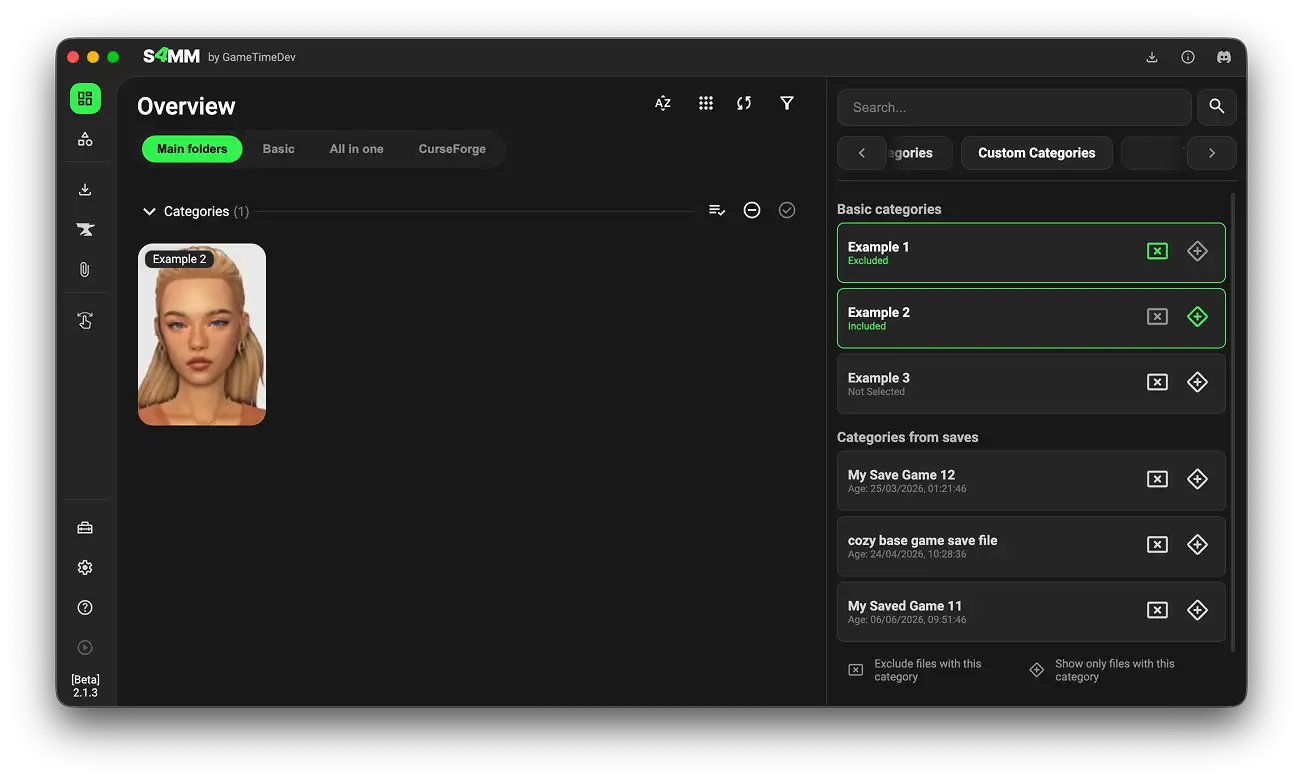
You can now filter categories both inclusively and exclusively.
¶ New options/settings
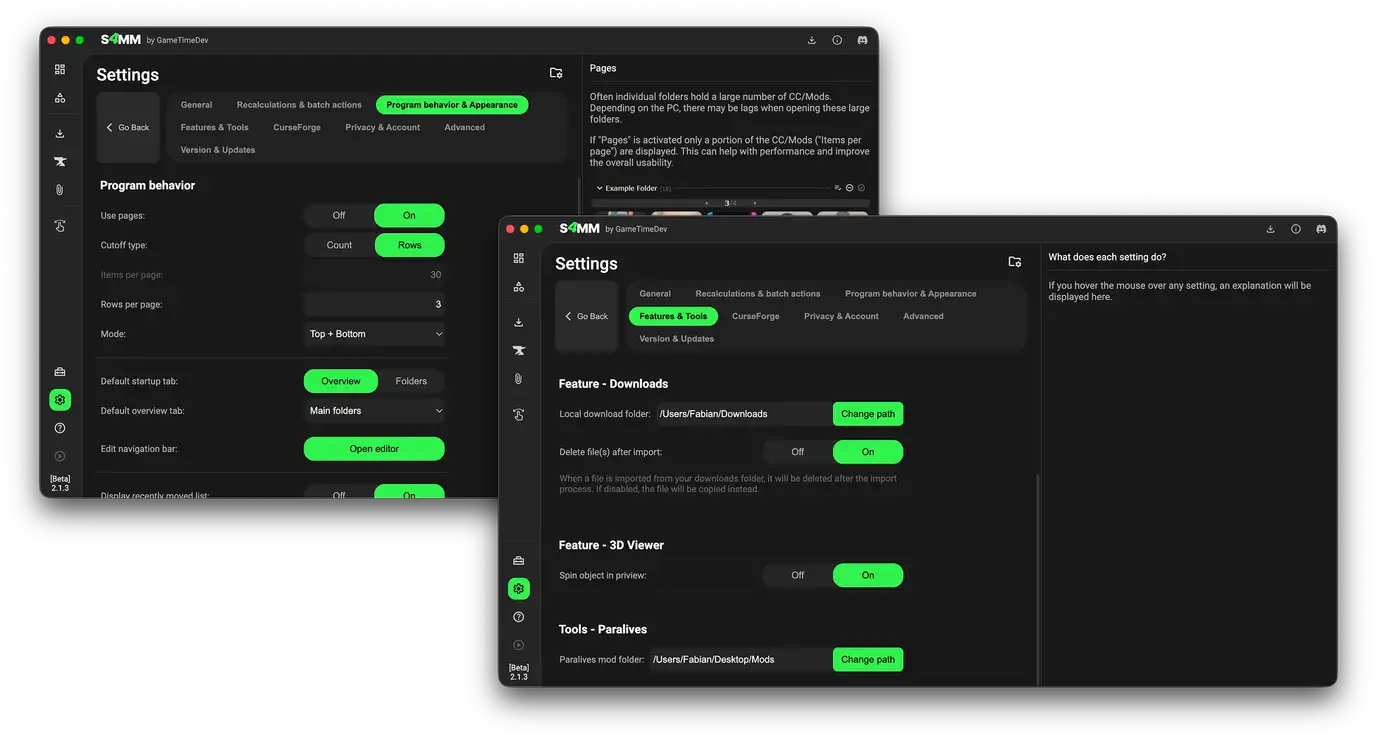
- Option to toggle 3D spin
By default, 3D models spin in the quick 3D preview. You can now toggle this setting on or off. - Confirmation threshold for bulk load/unload
You can now set an item threshold to prompt a confirmation dialogue when enabling or disabling large amounts of items at once. - Rows per page option
Instead of setting items per page, you can now set a custom row value to better fit your display window size. - Settings for tools
A new sub-tab for tool settings has been added. It includes a few initial options and will expand as new tools arrive.
¶ Fixes & other changes
- New Foundation
I refactored the entire backbone of the Mod Manager. The old codebase was becoming messy, so the framework is now far more structured and ready for future tools. - Improved UI
I reworked parts of the interface to give it a more modern and unified look. - Removed CC Detector Tool
This tool wasn't reliable enough and required additional permissions that caused some antivirus software to flag it as potentially malicious. I have removed it entirely. - Main Menu features restored
It is no longer based on Simmattically's mod, but it works again for the current game version (though with fewer options for now).
¶ Personal note
This update is long overdue, and I sincerely apologize for the delay. It came down to two main factors:
- As mentioned above, I refactored the entire backbone of the Mod Manager. I originally estimated this would take 3–8 months, but rebuilding systems from scratch ended up taking nearly a year. Some systems are now much faster, while others are significantly more reliable. This work was vital because the old codebase was simply getting too large to maintain efficiently.
- I started a new full-time job at a new company. Adapting to a new workflow, environment, challenges, and a whole team of fantastic new people took a lot of energy. With everything going on, I had less spare time for the Mod Manager than usual.
Thank you all for your patience and support!
¶ B 2.1.3

¶ New features
- New Theme System
Supporters at Tier 2 or higher can now select one of 12 predefined themes or even create custom ones.
¶ Fixes
- Fixed issue with Desktop.ini
Windows creates hidden system files, which the Mod Manager mistakenly detected as mod files. It now properly ignores them. - Minor UI Fixes
Adjusted several colors and textures for improved visual consistency.
¶ B 2.1.4
¶ Fixes
- Visual Dup Fix
Fixed an issue where deleting an item without the pages feature enabled caused the remaining items to display twice. - Filter panel
The filter panel will now rember the last state it was in. So it will stay open or closed.
¶ B 2.1.5
¶ Fixes
- Partial Memory Fix
Fixed an occasional memory issue when launching the mod manager. While not fully eliminated, it should now occur far less frequently. - Casp 0x34
Added support for a new CASP File version.
¶ B 2.1.6
¶ Fixes
- Return to basename
Makes updating from older versions easier.
¶ B 2.1.8
- Fix scoll bug
When the pages feature is off, the loading of new files might fail.
¶ B 2.1.9
- Resolved Ad Overlap
Shifted popup positioning slightly to the left to prevent ads from blocking modal windows on smaller screens. - Fixed macOS Game Path Selection
Resolved an issue on macOS that prevented users from manually selecting their Sims 4 game path/application. - Fixed Poly Count Tool
Corrected an issue where calculated poly count values were not displaying on screen.
¶ B 2.1.10
- Legacy Notes Migration
Notes from previous versions are now automatically migrated to the new format. - Support for Dot-Folders
I removed the restriction on dot-prefixed folders. Even though system folders often start with ".", I know many of you like using them for custom organization.