The Download tab is not directly related to Downloads from CurseForge
The download tab is split into two sub-tabs.
¶ Local Downloads
This tab scans your computer’s download directory specifically for Sims 4 files, including .package, .ts4script, .zip, and .rar formats. The manager will automatically try to extract thumbnails for a visual preview and handles archives by extracting the contents before they are moved to your mods folder.
¶ Initial Setup
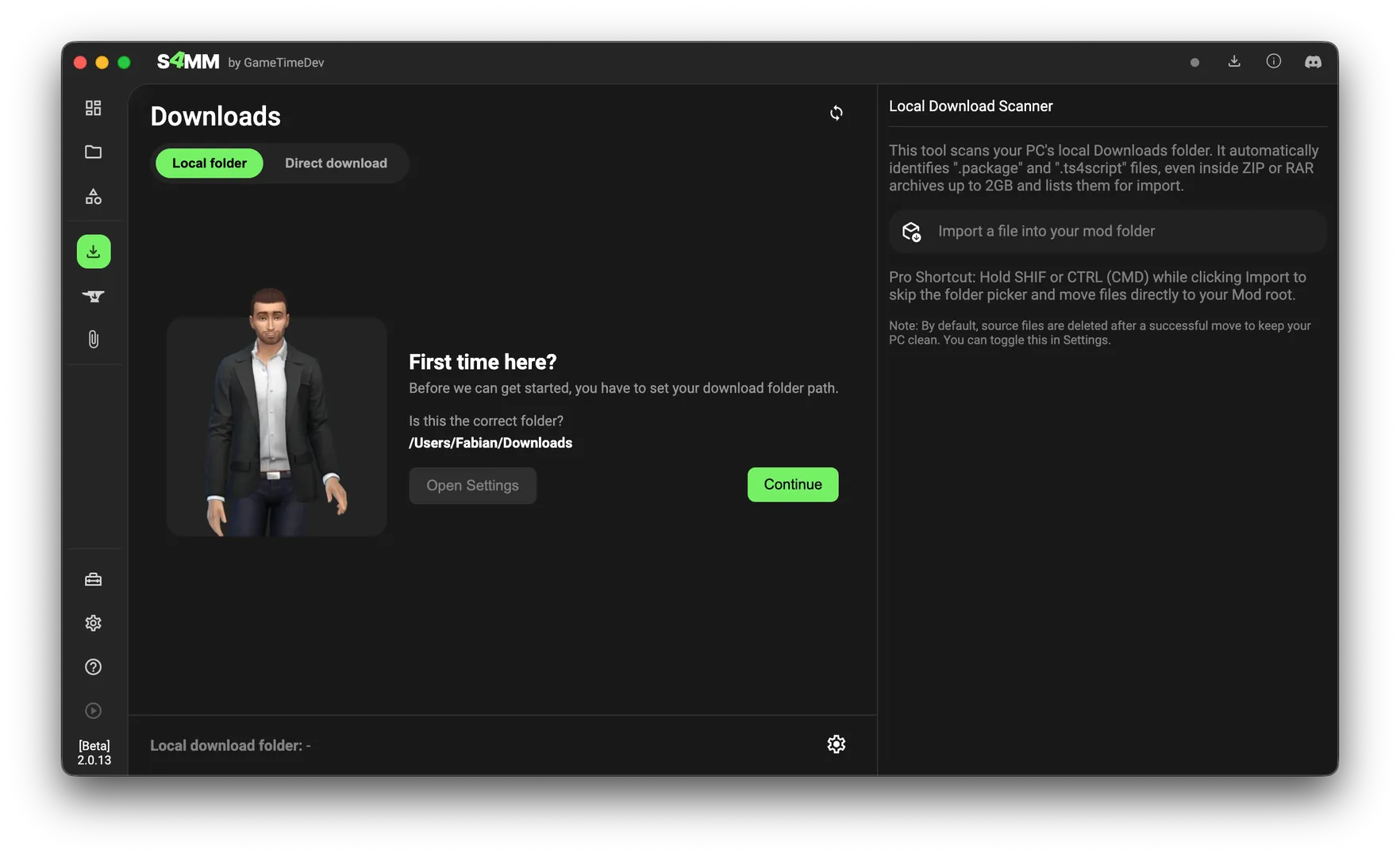
The first time you open this section, you'll need to verify that the Mod Manager detected your downloads folder correctly.
- If the path is wrong or you use a custom folder for your downloads, click Open Settings to update it.
- If the path is correct, simply click Continue.
¶ Managing Files
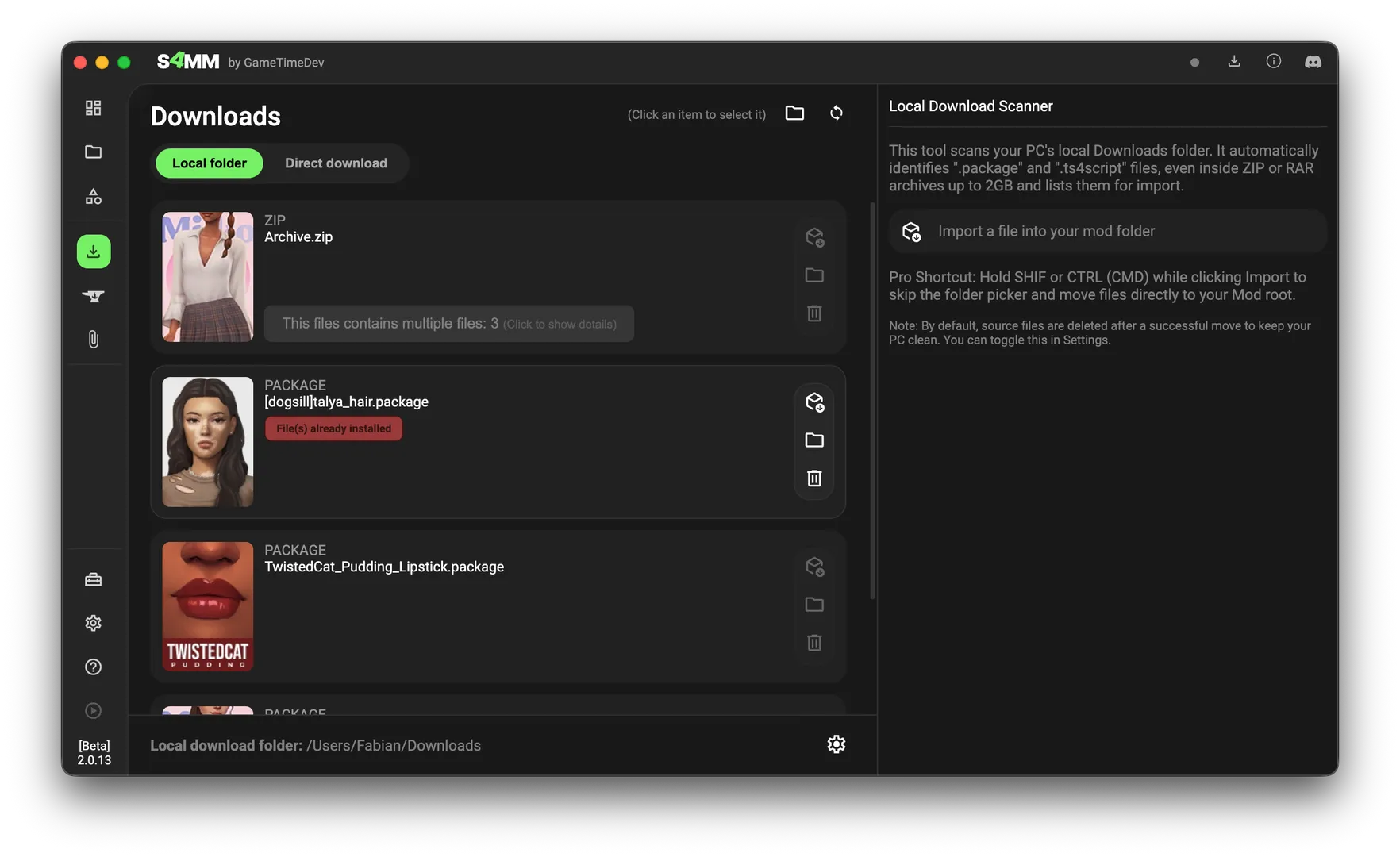
Once your path is set, the Mod Manager will list all compatible files found in that folder. You can see the current directory path displayed at the bottom of the screen.
At the top of the interface, you have two main controls:
- Folder Icon: Opens your downloads folder in your system's file explorer (Windows) or Finder (macOS).
- Refresh Icon: Rescans the folder. Use this if you've downloaded new items while the manager was already open.
¶ Importing to Your Game
Each item in the list has action buttons on the side for quick management:
- Import: Clicking this allows you to pick a specific subfolder within your Mods directory for the file.
- Shortcut: Hold Shift (or Command on Mac) while clicking to skip the folder picker and import directly to the main Mods folder.
- Folder icon: Opens the specific location of that file on your hard drive.
- Trash icon: Deletes the file from your downloads folder.
Note on File Cleanup
By default, the manager deletes the original file from your downloads folder once the import is finished to keep things tidy. If you'd rather keep the original file where it is, you can toggle this off in Settings -> Features & Tools -> Delete file(s) after import.
¶ Direct Downloads
Direct Download is an alternative way to install CC without needing to manually move files from your browser to your mods folder. It functions as a shortcut between modding websites and the Mod Manager.
¶ Initial Setup
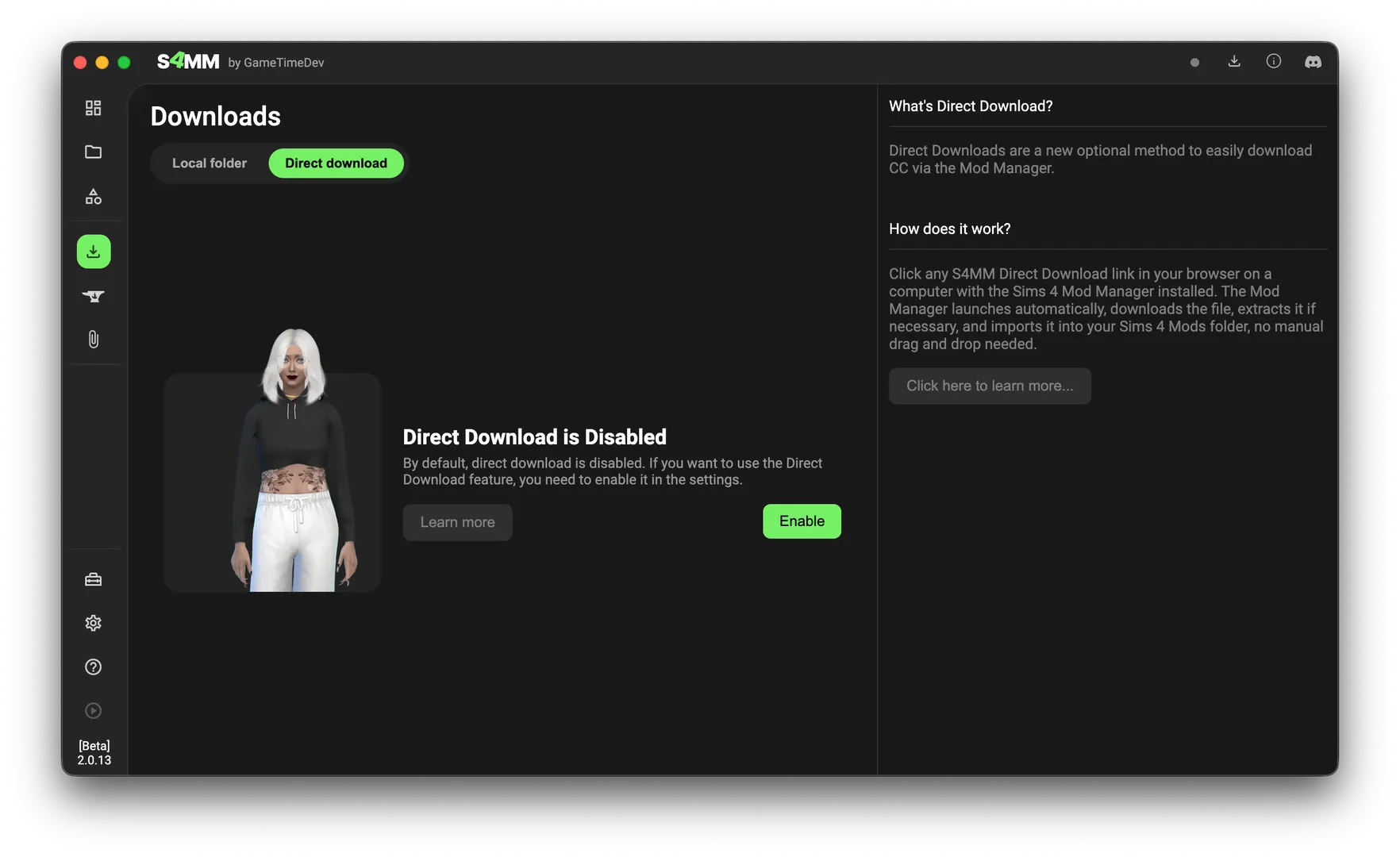
By default, this feature is turned off. When you first open the tab, you will see an activation prompt. Click Enable to turn the feature on. You can disable it again at any time in the settings if you change your mind.
¶ How It Works
Some creators provide a specific S4MM Direct Download link on their pages. When you click one of these links:
- Your browser sends the file's download URL directly to the Sims 4 Mod Manager installed on your computer.
- The Mod Manager handles the download and places the file into your Mods folder automatically.
This removes the need to manually extract or move files after they finish downloading in your browser.
¶ The Browser Extension
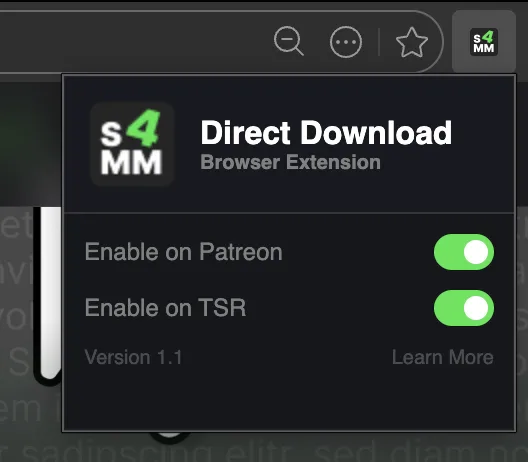
There is also a browser extension available for Chrome, Edge, and Brave. This extension identifies downloadable files on sites like Patreon or TSR and adds a "Download with S4MM" button next to them automatically.
¶ Technical Explanation
This system relies on Deep Links (custom protocol handlers).
When you install the Mod Manager, it registers a unique protocol (like sims4modmanager://) with your operating system. When you click a compatible link, the browser recognizes this protocol and "hands off" the data to the Mod Manager instead of trying to open a new webpage. The Manager then fetches the file and organizes it for you.
¶ Creating Direct Download Links
If you are a creator or want to share a direct link for a file, you can learn how to generate these links on my website.
When creating a link, keep these requirements in mind:
- The file must be publicly accessible (no private or password-protected links).
- The link must point to a supported file type:
.package,.zip, or.rar.
¶ Security and Limits
To ensure the system stays safe and stable, there are a few built-in restrictions:
- File Size: Maximum of 50MB per file.
- File Types: Only
.packagefiles are supported. - Prohibited Files: No executable files or
.ts4scriptfiles can be downloaded via this method for security reasons.
¶ Extension Availability
The extension is currently compatible with Chromium-based browsers (Chrome, Edge, Brave, etc.). While it isn't on the official Chrome Web Store yet, the source code and installation files are available on GitHub. It currently supports Patreon and The Sims Resource (TSR).
- GitHub Repository: s4mm-dd-chrome-extension