¶ Exploring the Different Areas of the Mod Manager
The Mod Manager’s features and tools are organized into distinct areas to help you manage your content efficiently. While some areas may seem similar, each is optimized for a specific part of your workflow.
¶ Navigation
On the left side of the Mod Manager, you will find the Navigation Bar. This sidebar contains shortcuts and links to all primary tabs and tools.
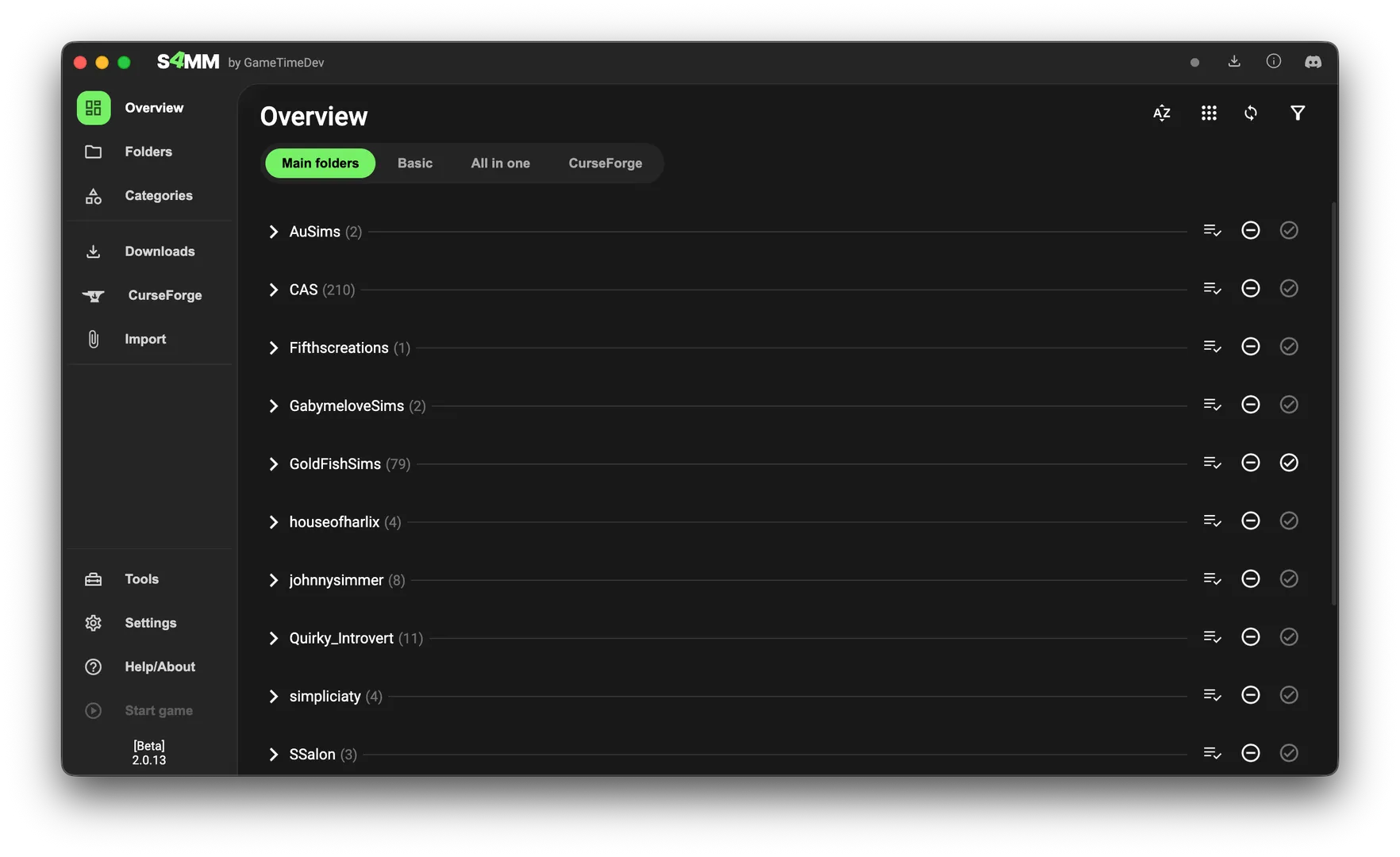
Personalize your workflow: You can customize which tabs appear and change their order by going to:
Settings → Program Behavior & Appearance → Edit Navigation Bar → Open Editor.
¶ Tab Overview
¶ 📂 Overview
The Overview tab provides multiple ways to view your entire Mod folder at once. It is the most powerful area for managing large collections, offering Filter & Search options to help you find exactly what you are looking for.
¶ 📁 Folders
The Folders tab is designed for file structure management. Unlike the Overview, it focuses on viewing one folder at a time, making it the ideal place to organize your directory or create new subfolders.
¶ 🏷️ Custom Categories
Custom Categories allow you to tag files with internal "labels" without moving them from their physical folders.
- Flexibility: Group items like "Halloween CC" or "Realistic Gameplay" even if they are saved in different creator folders.
- Control: Quickly enable or disable all files assigned to a specific category.
- Save Games: Manage Save Game Categories (created via the Save Game Tool) directly from this tab.
Learn more about Custom Categories here.
¶ 📥 Downloads
The Downloads tab helps you bridge the gap between your browser and your game.
- Local Import: Scan your PC's default download folder for Sims 4 files and import them with one click.
- Direct Download: Enable and manage the "Direct Download" feature and track your download history.
Learn more about the Downloads tab here.
¶ 🔥 CurseForge
Through an official partnership, the Mod Manager integrates directly with the CurseForge platform. You can browse, install, and automatically track and manage updates for mods hosted on CurseForge.
Learn more about the CurseForge tab here.
¶ 📤 Import
While not a permanent tab, clicking Import opens a dedicated window. Here, you can select files or use drag-and-drop to quickly move new content into your Mod folder.
¶ 🛠️ Tools
As the Mod Manager grows, smaller specialized features are housed in the Tools tab. It contains various utilities for file maintenance and special file checks.
Learn more about the Tools tab here.
¶ ⚙️ Settings
This area is self-explanatory but essential. Use this tab to configure your Mod folder path, change the language, adjust UI Scaling, and tweak the program behavior.
¶ ❓ Help & About
Find everything you need to know about the software's journey.
- Support: Links to contact the developer or find troubleshooting guides.
- Development: Information on the project's history.
- Credits: Acknowledgments for the people and open-source projects that make the Mod Manager possible.